Hidden score
Each row is scored on its own, the same as on paper, and your score stays hidden until the game is over. If you’d rather watch it add up as you go, turn on Live Score in Settings.
 Quickpad
Dice game scorecard
Quickpad replaces the paper scorecard for four-row roll-and-write dice games. Everyone still rolls real dice at the table, and every game can be on a brand new card.
Bring your own dice.

A paper pad is the same card on every sheet, and eventually it runs out. In Quickpad you start a new card whenever you want one, in four modes. Classic is the card you already know. Numbers scrambles the numbers in each row, Colors splits the four colors into blocks, and Chaos does both at once.

Tap a number to cross it off. Tap it again to lift the mark, for when you meant a different row. Anything you skip past is dead, the same rule as on paper.
Once a row has five marks, its lock is armed. Penalties are five points each, and the fourth one ends the game.
Every card has a 7-character code. Share it from the game or read it out loud, and everyone at the table types it in and plays the exact same card.
Each row is scored on its own, the same as on paper, and your score stays hidden until the game is over. If you’d rather watch it add up as you go, turn on Live Score in Settings.
For players who have trouble telling the rows apart by color, Color Tags adds a small symbol to the corner of each one.
Turn your phone sideways for the long horizontal card. On iPad the whole card grows to fill the screen, upright or sideways, in light or dark.
If the game ends on somebody else’s card, tap End Game twice and yours is scored.
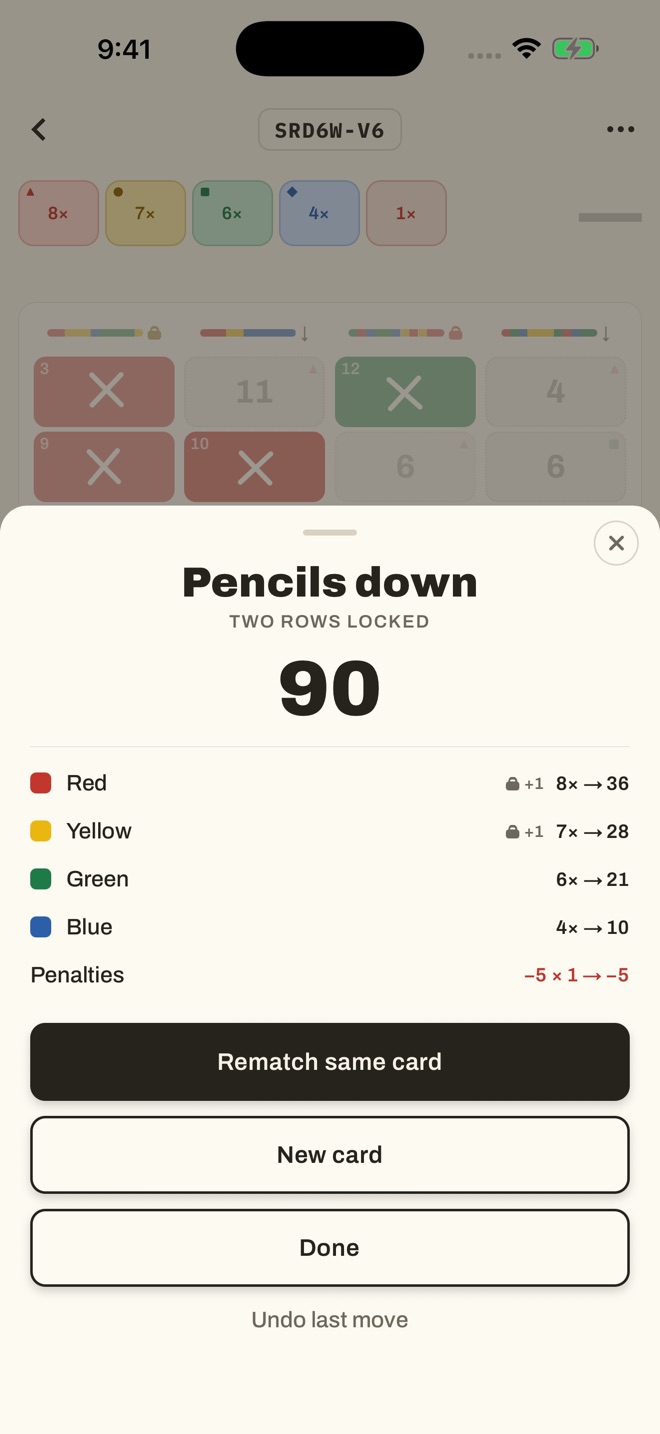
Your score stays hidden until the game is over. Then each row is totaled on its own, with penalties at the bottom, and you can rematch the same card or start a new one.

Kevin Stauss
Dad, videographer, app maker
Paper scorecards run out, usually right when somebody wants another round. I also wanted the mixed-up variant cards without buying more pads. Quickpad only replaces the pad and the pencil.
More about meNo. Everyone rolls real dice, the way the game is normally played. Quickpad is only the scorecard.
One person starts a new card and shares its 7-character code, with the share button or just out loud. Everyone else enters the code on the home screen.
No to both. Quickpad works offline, there’s nothing to sign in to, and there are no ads or in-app purchases.
The game in progress and your settings, stored on your device. I don’t collect anything, and there’s no analytics or tracking. The privacy policy has the details.
Email kevin@silicroncode.com. It comes straight to me, and it helps to know which device you’re on and, if it’s about a particular card, that card’s code.
 Lighter Days Coming soonHow much more or less daylight today has than yesterday, down to the second.
 SpoolTurns Live Photos taken a few seconds apart into one video you can watch and save.
 MakoTide times and weather for shark tooth hunting, with the hours before low tide marked.
 Cable WeatherIt’s the local weather that used to loop on cable TV, rebuilt with your real forecast and smooth jazz underneath.